Lucky Block Registration and Account Guide
 Available in US
Lucky Block account creation is designed to be quick: the current Help Centre says you can sign up with a valid email address, a username and a password, then accept the Terms and Conditions to finish registration. A wallet-based sign-up route is also available for users who prefer to connect a compatible crypto wallet.
For Australian readers, the important point is not speed but eligibility. The public registration guidance does not establish that Australia is selectable for every new account at every moment. Before entering personal details or moving funds, check the current country options and the terms shown to you on the live site. Account creation, identity verification and payment access are separate steps, and passing one does not automatically guarantee the others.
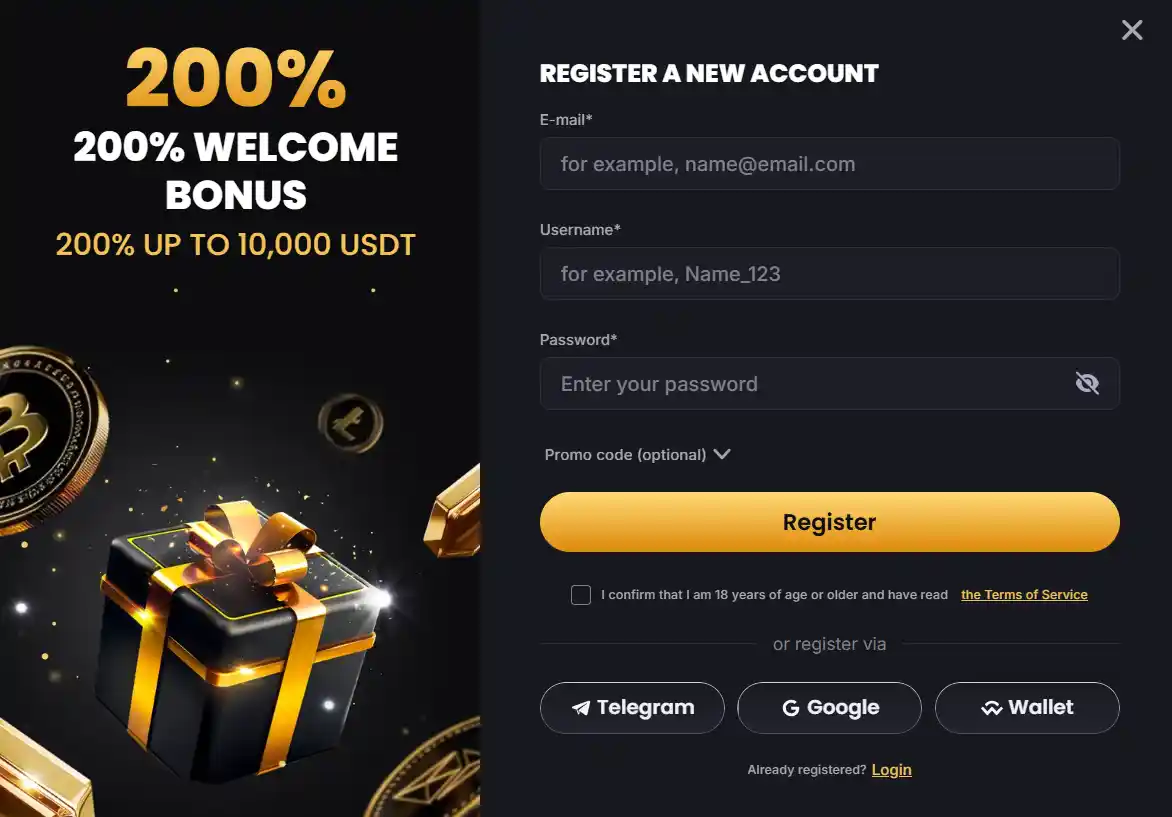
Table of Contents
- What you need to create a Lucky Block account
- Standard sign-up versus wallet connection
- Check country eligibility before treating registration as complete
- Use an email address you can keep access to
- Verification can become part of the account journey
- Account details should match your real information
- How account setup connects to deposits and withdrawals
- What to do if you cannot log in
- Registration on mobile follows the same account logic
- Before you register, decide how you will secure the account
- Frequently asked questions
- A good account setup starts before the first deposit
What you need to create a Lucky Block account
Lucky Block’s current Help Centre describes the standard registration route in simple terms. You select Sign Up, provide a valid email address, choose a username and password, agree to the Terms and Conditions and complete the form with the Sign Up & Play button.
That is the basic account-opening layer. It should not be confused with later identity checks. Lucky Block also states that verification checks can be requested after account creation, particularly to prevent fraud, money laundering and underage gambling. Refusing requested personal information or documentary evidence can lead to temporary or permanent account restrictions.
| Stage | What it involves | What to check |
|---|---|---|
| Registration | Email, username, password and agreement to terms | Country availability and the current terms shown on the form |
| Account access | Login with your registered credentials | Use a unique password and a secure email account |
| Verification | Identity or address evidence when requested | Submit only through the current account verification route |
| Payments | Deposit and withdrawal methods shown in the Wallet | Asset, network, minimum and withdrawal requirements |
Standard sign-up versus wallet connection
The conventional route is easiest to understand because it works like many online accounts: email, username and password. Lucky Block also offers registration through WalletConnect. Its Help Centre says the user selects WalletConnect on the registration form, chooses a wallet application, scans the QR code, confirms the connection and then supplies the remaining details or allows the system to create an email and username where applicable.
Wallet connection can reduce typing, but it does not remove the need to understand account rules. A connected wallet is still part of a registered casino account, and identity checks can still be requested. WalletConnect also has product-specific limitations: the Help Centre currently says deposits through that route support ETH, while withdrawals through WalletConnect are not supported.
Choose the route that you can manage reliably. A standard login can be simpler if you are new to crypto wallets. A wallet connection can feel more natural if you already understand QR approvals, wallet permissions and blockchain networks.
Check country eligibility before treating registration as complete
A successful form submission is not the same thing as a blanket statement that every Lucky Block service is available from Australia. Lucky Block’s own regional guidance directs users to check the licence and terms displayed for their geography. That makes the live registration and terms screens the practical checkpoint before proceeding.
This distinction matters because several things can vary independently: whether an account can be created, whether a promotion applies, which payment options are displayed, which games are available and which regulatory terms govern the service. One of those signals should not be used as proof for all the others.
If your country is not presented as an eligible option, do not try to work around the restriction. If it is presented, read the current terms before making a deposit. See Lucky Block licence and Australia rules for the broader regulatory context before completing registration or funding the account.
Use an email address you can keep access to
Your registration email is more than a marketing contact. Lucky Block says password recovery instructions are sent to the email address used for registration. That makes email security part of account security.
- Use an inbox you control and expect to keep long term.
- Use a password that is not shared with other services.
- Protect the email account with its own strong authentication options.
- Be cautious with messages asking you to move crypto or reveal credentials.
- Access account settings from the site directly rather than through unexpected links.
If you lose access to the registered email or see unfamiliar account activity, contact support rather than repeatedly attempting logins from multiple devices.
Verification can become part of the account journey
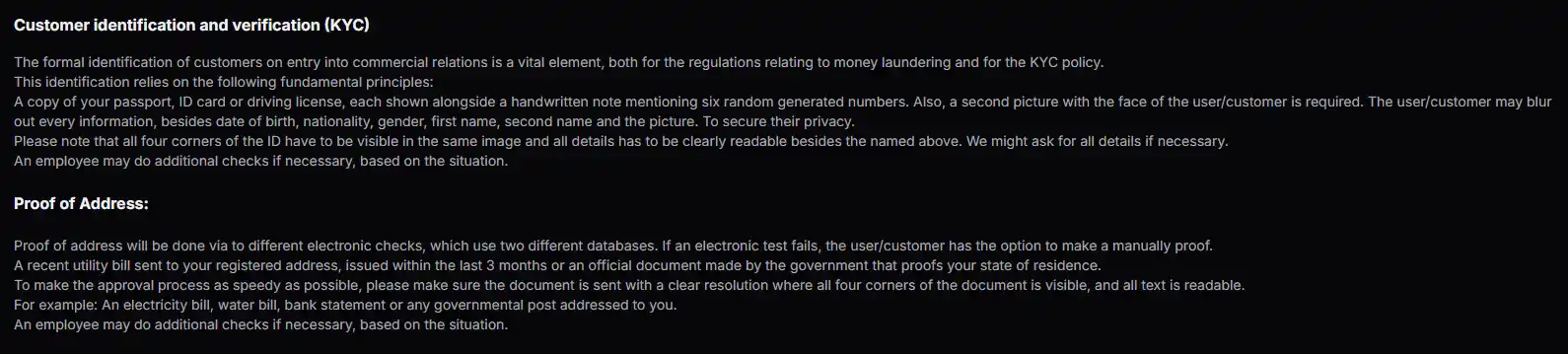
Lucky Block does not operate on a universal “no KYC” basis. Its Help Centre says verification checks may be conducted after account creation, and its AML policy sets out identity and address checks that can apply to customers. The practical lesson is to assume that verification can be required, especially before or around withdrawals.
Current official guidance lists government-issued identification such as a passport, ID card or driving licence, together with a selfie. Address evidence can include a recent bank statement or utility bill. The exact process deserves its own explanation, so the guide to Lucky Block KYC covers document requirements, image quality and what happens when electronic address checks are not enough.
Do not wait until a time-sensitive withdrawal to think about document access. If you choose to open an account, make sure your registration details are accurate and consistent with documents you could reasonably provide if requested.
Account details should match your real information
Consistency matters because verification compares account information with identity evidence. Lucky Block’s AML material includes personal details such as name, date of birth, nationality and address within its verification framework. Incorrect or improvised information can make later checks harder.
Use your real details and correct obvious errors before they become attached to payment or withdrawal activity. Do not create duplicate accounts to solve a login, bonus or verification problem. Lucky Block’s Help Centre warns that multiple accounts created to abuse promotions can be closed, leaving only the initial account active.
If a genuine correction is needed, support is the safer route than opening another account.
How account setup connects to deposits and withdrawals
Registration gives you account access, but the Wallet determines which funding routes are currently available. Lucky Block is strongly crypto-focused, so a user may need to choose an asset, network and destination address rather than a familiar Australian bank payment route.
The broader guide to Lucky Block payments explains the available payment model and why common Australian methods should not be assumed to appear in the cashier. If you plan to use cryptocurrency, check the network carefully before sending funds and understand how you will later receive a withdrawal.
Verification can also intersect with payments. A withdrawal may trigger identity checks, so account creation should be viewed as the first stage of a longer account lifecycle rather than a one-time form.
What to do if you cannot log in
Lucky Block’s Help Centre directs users who have forgotten a password to select Login, use the Forgot Password option and enter the email address used to register. Recovery instructions are then sent to that address.
If the automated route does not resolve the problem, Lucky Block lists 24/7 live chat and the support email [email protected]. When contacting support, describe the issue clearly but do not send passwords, seed phrases or private wallet keys. Legitimate account support should never require the secret recovery phrase for your personal crypto wallet.
Registration on mobile follows the same account logic
Lucky Block can be accessed from a phone, and the account itself is not a separate mobile-only product. The site currently promotes an installable web-app style experience through browser home-screen options rather than requiring a conventional app-store download.
That means the same account credentials, verification expectations and Wallet checks remain relevant on a smaller screen. The guide to Lucky Block mobile covers installation-style shortcuts, browser use and the practical differences between mobile and desktop access.
Before you register, decide how you will secure the account
A quick sign-up can encourage people to think about security only after money is in the account. It is better to make those choices first. The registered email should be protected, the password should be unique, and any crypto wallet used alongside the account should have its own independent security. These are separate credentials, so a strong casino password does not protect a compromised email inbox or exposed wallet.
Also decide which device you expect to use most often. If you register on a shared computer, remember that browser password storage, open sessions and copied wallet addresses can remain accessible to other users. On a personal phone, screen locks and careful handling of QR codes become more important. The goal is not to make registration complicated but to avoid creating a weak point that later affects password recovery, wallet access or verification.
Keep basic records that help you distinguish normal activity from a problem. Know which email you registered, which wallet you used and roughly when you made important account changes. If support ever needs to investigate an access issue, accurate account history is more useful than creating a second account or guessing which credentials were used.
Frequently asked questions
What information is needed to register at Lucky Block?
The current Help Centre says the standard sign-up requires a valid email address, username and password, plus agreement to the Terms and Conditions.
Can I register with a crypto wallet?
Lucky Block currently supports a WalletConnect registration route. Users select a compatible wallet, scan the QR code and confirm the connection before completing the account setup.
Does creating an account mean KYC will never be required?
No. Lucky Block states that verification checks can be requested after account creation, and its AML policy describes identity and address verification procedures.
How do I reset my Lucky Block password?
Use the Forgot Password option on the login screen and enter the email address linked to the account. Recovery instructions are sent to that address.
Is Lucky Block registration confirmed for every Australian user?
No blanket guarantee should be made. Check the current country options and terms shown on the live registration flow before proceeding.
A good account setup starts before the first deposit
The strongest way to approach Lucky Block registration is to separate the steps. First confirm that the current terms and country options work for you. Then create the account with accurate details and a secure email address. After that, understand the verification process and only then decide how you would fund and withdraw from the account.
This sequence avoids the most common source of friction: treating a fast sign-up form as proof that every later step is equally automatic. For a wider view of bonuses, games, payments and regulatory context, return to the Lucky Block Australia review.
Prepared by the Lucky Block Casino editorial staff.