Lucky Block Mobile and Web App
 Available in US
Lucky Block works on phones through a mobile-first web app rather than requiring a conventional App Store or Google Play download. Its current mobile page tells users to open the site in a browser and add it to the home screen, creating an app-like shortcut without installing a separate native package. That gives access to games, deposits, bonus functions and withdrawals from the same account used on desktop.
For Australian readers, the practical point is simple: you do not need a native app to use the core mobile experience. The shortcut behaves like a convenient launch icon, while the underlying service remains browser based. That distinction matters because it avoids unnecessary download claims and makes compatibility less dependent on a particular app store.
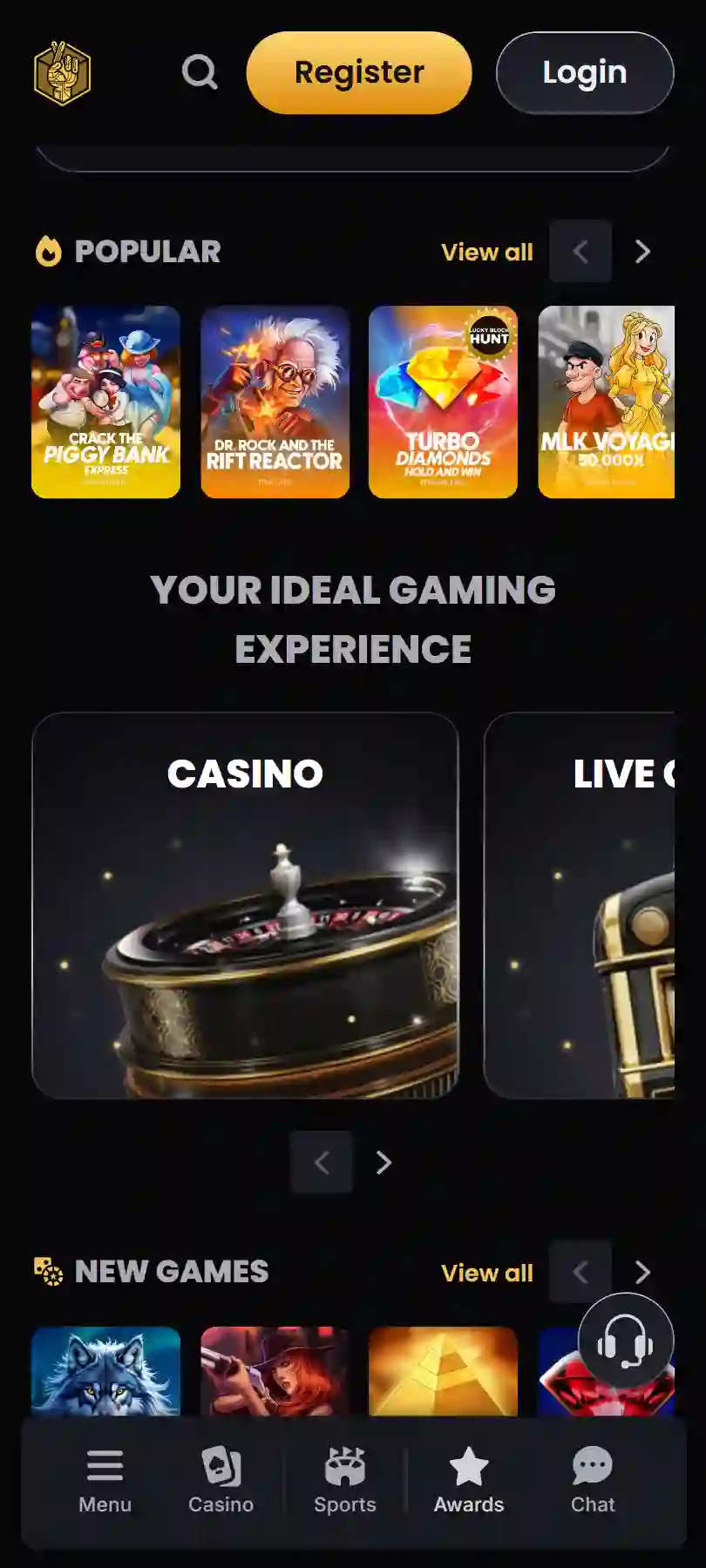
Table of Contents
- How the Lucky Block mobile app actually works
- Adding Lucky Block to an iPhone home screen
- Using Lucky Block on Android
- What you can do from the mobile web app
- Games on a smaller screen
- Connection quality matters more for live play
- Wallet and crypto use from a phone
- Account continuity between phone and desktop
- Verification can still happen on mobile
- Why there is no need to search an app store
- Mobile privacy and notifications
- Practical mobile setup checklist
- Frequently asked questions
- When the web app is the better mobile choice
How the Lucky Block mobile app actually works
Lucky Block describes its mobile product as a web app that combines browser access with the convenience of a home-screen icon. The current app page says there is no conventional download or installation step. Instead, the site stays current through the browser, and the shortcut gives you a quicker route back to it.
This model is often called a progressive web app, or PWA, but the important part for a player is the behaviour rather than the label. You open Lucky Block in a compatible browser, use the browser menu to choose Add to Home Screen, and then launch the site from the new icon when you want to return.
Lucky Block currently presents separate instructions for mobile use and says the web app works across operating systems and devices. That makes the mobile route useful if you switch between phones or do not want another large native casino app using storage space.
Adding Lucky Block to an iPhone home screen
Lucky Block’s current mobile instructions show the iPhone process through the browser share menu. Open the Lucky Block site, tap the Share icon, reveal the additional actions if necessary and choose Add to Home Screen. The exact menu position can differ slightly between iOS versions, but the result is a Lucky Block icon on the home screen.
The shortcut does not turn the website into a separately downloaded App Store product. It simply gives the web app a more direct launch point and an app-like presentation. If you remove the icon later, your Lucky Block account itself is unaffected because the login and account data are tied to the service, not to the shortcut.
Using Lucky Block on Android
Android browsers also support home-screen shortcuts for web apps. Lucky Block’s mobile page promotes the same no-download approach for Android, so there is no need to hunt for an APK or install an unfamiliar file from another website.
That is an important security advantage. Installing casino APK files from search results, messaging links or unofficial mirrors creates an avoidable risk of malicious software and imitation login pages. If you want an app-like Lucky Block icon, use the option presented through the official site in your own browser rather than downloading a file from an unrelated source.
What you can do from the mobile web app
Lucky Block says its mobile experience supports the main account functions, including games, deposits, bonuses and withdrawals. In practice, that means the phone version is not designed as a limited companion to a desktop account. It is intended to be the primary interface for users who prefer to play and manage the account from a smaller screen.
| Mobile task | What to expect | Useful habit |
|---|---|---|
| Casino games | Access to the mobile game catalogue through the browser | Use landscape mode where a game interface benefits from extra width |
| Live casino | Lucky Block has a dedicated live-casino section | Use a stable connection because live video is more demanding than static pages |
| Deposits | Payment and crypto deposit functions are available from the account | Check the selected network carefully before sending cryptocurrency |
| Withdrawals | Withdrawal requests can be managed from the mobile account | Allow for verification if the account is asked for documents |
| Account access | The same credentials work across compatible devices | Use a password manager rather than reusing a weak password |
The wider guide to Lucky Block payments covers cashier choices in more detail, while the guide to Lucky Block registration explains registration and account management. For a full overview of the brand, return to the Lucky Block Australia review.
Games on a smaller screen
Mobile casino usability depends heavily on the individual game. Slots and instant games are usually straightforward because their interfaces are designed around a compact play area. Table games and live dealer streams can feel more crowded when betting controls, video and chat elements compete for limited screen space.
Lucky Block has a large casino catalogue and a separate live-casino section, so mobile users are not restricted to a small subset of categories. The dedicated guide to Lucky Block games explains the broader catalogue, while the guide to Lucky Block live casino focuses on streamed tables and studios.
For comfortable use, rotate the phone when a game supports landscape mode, close unrelated browser tabs and avoid zooming the page unless the interface becomes hard to read. These simple changes can make a larger difference than the presence or absence of a native app.
Connection quality matters more for live play
A standard account page or slot lobby can tolerate short variations in connection speed. Live casino is different because the interface must deliver a continuous video stream while keeping betting controls responsive. A weak mobile signal can therefore create more noticeable interruptions on a live table than on a conventional game.
If your connection is unstable, switch to reliable Wi-Fi before starting a session that depends on uninterrupted video. Public Wi-Fi can be convenient, but it is better to avoid logging into financial or gambling accounts on networks you do not trust. Mobile data from your own device is often the safer fallback when the alternative is an open public hotspot.
Wallet and crypto use from a phone
Lucky Block supports a broad range of cryptocurrency deposits. Mobile access can make crypto payments convenient because many users already keep a wallet app on the same device. Convenience, however, increases the need to check transaction details carefully.
Before sending funds, confirm the selected coin, network and destination address in the Lucky Block cashier. Do not assume that two assets with similar names use the same network. A cryptocurrency transfer sent to an incompatible chain can be difficult or impossible to recover.
Copying and pasting an address is generally safer than typing it manually, but still compare the first and last characters before confirming. Malware can sometimes alter copied addresses. The dedicated crypto section of this guide covers supported assets and network considerations in more depth.
Account continuity between phone and desktop
The mobile web app is another way to enter the same Lucky Block account, not a separate mobile account. That means your login, balance and account history follow the account rather than one device. You can start on a laptop and later sign in from a phone using the same credentials.
This also means basic account security matters across every device. If you use a shared tablet or computer, sign out when you finish. On your own phone, protect the device with a screen lock and avoid saving passwords in browsers that other people can open. If the account password is ever exposed, change it rather than relying on the phone’s local lock alone.
Verification can still happen on mobile
Using a phone does not bypass Lucky Block’s identity checks. The operator can request identity, selfie or proof-of-address documents, and those requirements apply to the account regardless of whether you access it on mobile or desktop.
A phone can actually make some document steps easier because the camera is already available. The important part is image quality: photograph the entire document, keep text readable and avoid glare. For verification, keep the same document-quality standards you would use on desktop.
Why there is no need to search an app store
Lucky Block’s official mobile page currently directs users toward browser-based installation through Add to Home Screen. That is the verified route. A store listing is not required for this model to work, and the current page does not make a conventional native download necessary for access.
This matters because search results for casino apps can include unrelated products with similar names. A familiar logo or title is not enough to prove that an app belongs to the casino you intended to use. Starting from the official Lucky Block website and following its own mobile instructions reduces the risk of installing the wrong software.
Mobile privacy and notifications
A home-screen shortcut can make access more discreet than keeping a browser tab open, but it does not remove information stored by the browser or account. If privacy on a shared device matters, review saved passwords, browsing history and notification permissions.
Do not enable promotional notifications simply because the phone asks for permission. Decide whether they are useful to you. Constant gambling prompts can make it harder to maintain limits, so keeping notifications off is a reasonable default if you prefer to open the site only when you deliberately choose to do so.
Practical mobile setup checklist
- Open the official Lucky Block website. Avoid third-party APKs and lookalike app listings.
- Add the web app to the home screen. Use your browser’s built-in Add to Home Screen option.
- Protect the device. Use a strong screen lock and keep the operating system and browser updated.
- Use secure account credentials. Do not reuse a password from another service.
- Check payment details twice. This is especially important for cryptocurrency networks and wallet addresses.
- Prefer stable connections. Live casino streams work best with reliable Wi-Fi or mobile data.
- Keep documents available if requested. Mobile access does not remove KYC requirements.
Frequently asked questions
Does Lucky Block have a mobile app?
Lucky Block currently offers a mobile-first web app that can be added to the home screen. It works through the browser and does not require a conventional native download.
Do I need the App Store or Google Play?
No. The verified Lucky Block mobile route uses Add to Home Screen from the browser, so a conventional store installation is not required.
Can I deposit and withdraw on mobile?
Lucky Block’s current mobile page says the web app includes full functionality for deposits, bonus use and withdrawals.
Can I play live casino games on a phone?
Lucky Block has a live-casino section, and the mobile web experience is designed to provide access across devices. A stable connection is particularly useful for streamed tables.
Is the mobile account different from my desktop account?
No. The web app provides another way to access the same Lucky Block account and its balance, games and account functions.
When the web app is the better mobile choice
Lucky Block’s mobile approach is most useful for players who want quick phone access without installing a separate casino package. Adding the site to the home screen gives a familiar app-style launch point while keeping the product browser based and current.
The strongest reason to use this route is simplicity: start from the official site, create the shortcut, protect your account and use the same payment and verification care you would on desktop. You do not gain anything by chasing unofficial downloads when the core Lucky Block experience is already designed to run from the browser.
Created by the ”Lucky Block Casino” editorial team.